Sealed Secure Send
Send a document or photo that only the person you choose can open, in EZRedactPro on their phone. You set the rules. There is no account and no server: the file goes from your phone to theirs.
How it works
- 1
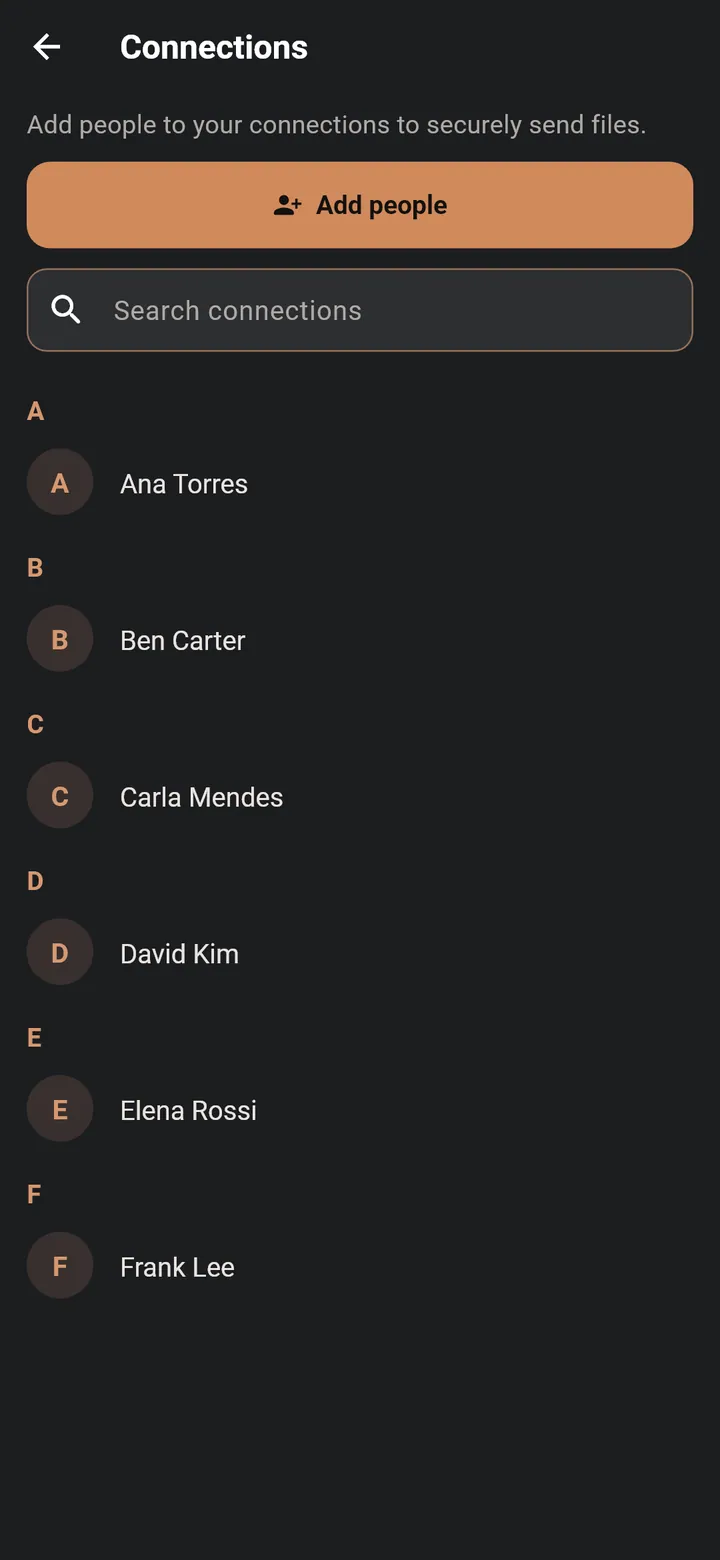
Connect once
Tap Add people and send the request by text. They tap Accept, and you're connected both ways. In person, they can scan your card's QR code.
- 2
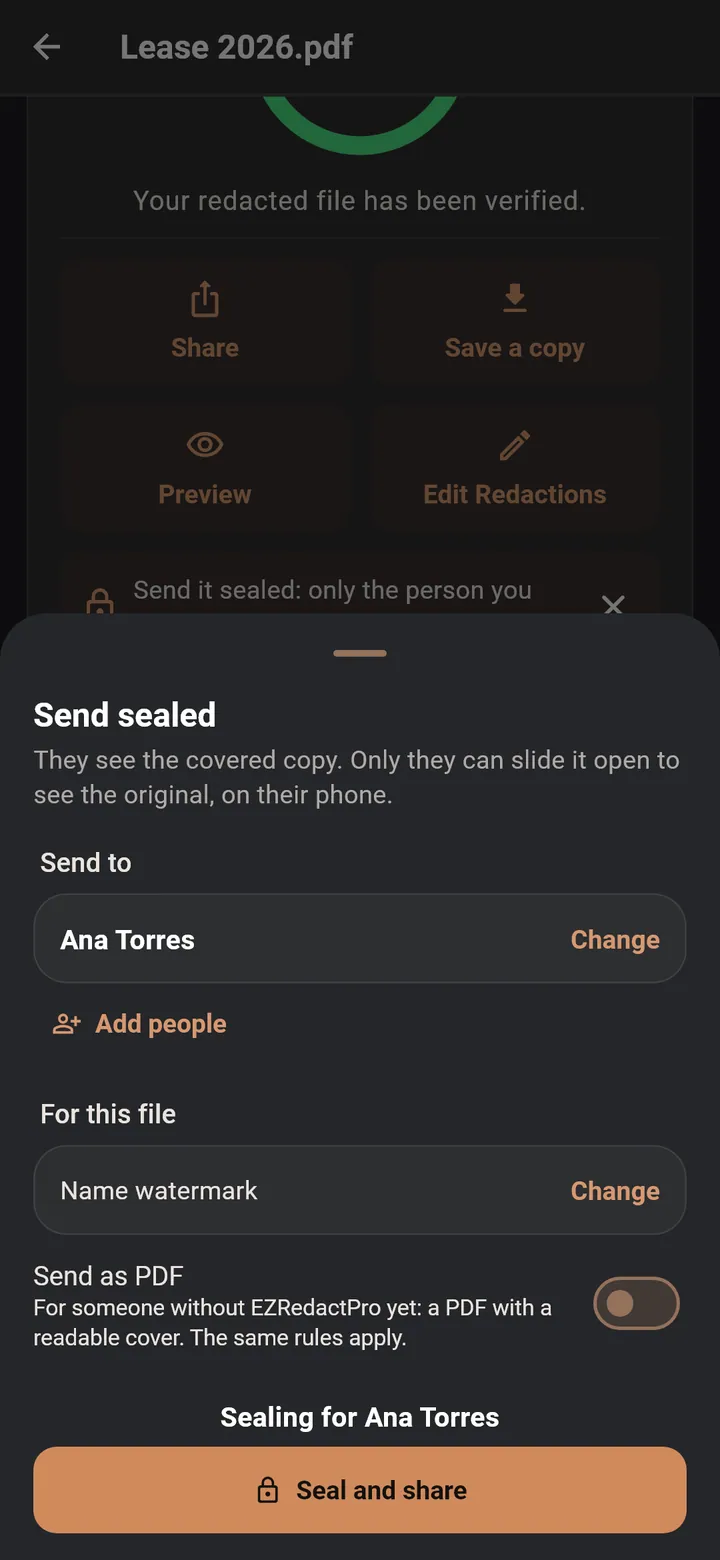
Send sealed
Choose any file, tap Send sealed and pick the person. Their name is shown in large type right before you send.
- 3
Send it as a text
It goes as an attachment in your messages app, or by email or any app you use. EZRedactPro never stores it.
- 4
Only they can open it
It opens in EZRedactPro on their phone, under your rules. Anyone else sees only the cover page, with your name and how to get the app.
Your rules for each file
The watermark starts on. Every other rule is off until you turn it on.
- Unlock with face, fingerprint or PIN
- Allow 1 to 5 views
- Expire after 1 hour, 24 hours, 7 days or 30 days, or never
- Time per view from 10 seconds to 5 minutes, or no limit
- A faint watermark with the person's name
- Allow or block saving, copying text and printing
Security you don't have to think about
- Standard, openly reviewed encryption: AES-256, X25519 and Ed25519. Sealing happens on your phone.
- Each sealed file is signed, so it can't be changed or passed to someone else without it showing.
- Every connection has a safety number. If someone's keys change, you're told before you send.
- Your keys stay on your phone, behind its lock. App Lock adds Face ID, fingerprint or PIN to opening the app.
- Android blocks screenshots of a sealed file. iPhone and iPad hide it while the screen is recorded or mirrored.
- Move to a new phone, or restore your encrypted backup, and your connections and older sealed files come with you.
Ask for documents
Need a W-2, an ID or a signed form? List each item, send the request by text, and get every file back sealed for you. The other person can redact a file first, and send what's ready now and the rest later.
Good to know
- Opening and reading sealed files and document requests sent to you is free, even without a subscription. Sending sealed, and creating or answering document requests, are part of the subscription.
- The messaging or email app you use to send the file has its own privacy rules.
- The person you send to can save, copy or print only if you allowed it.
- If a sealed file is changed after it was sealed, it will not open.
- A person who can open a file can still photograph their screen. Send only to people you trust.